A summary of my personal tech stack as we start 2026. I previously did one of these in 2024. I was prompted to write this one by David Bushell and Robb Knight’s App Defaults 2026 posts.
Software
My dotfiles are public so if you’re curious about the configuration of some of the tools mentioned below check out github.com/wezm/dotfiles.
- Operating System: Arch Linux on my desktop, Chimera Linux on my laptop. Each can also dual boot the other OS as well. I like rolling release distros for personal computing: you never have to do big upgrades, and everything is always up to date.
- Desktop Environment: COSMIC on my desktop, and GNOME on my laptop. I like that COSMIC has window tiling built in. Eventually I’d like to get the laptop on COSMIC too.
- Text Editor: Zed for most coding, backed up with Neovim for ancillary editing.
- Merge Tool: Beyond Compare. If you don’t have a proper tool that can do three-way merges to resolve git merge conflicts, often automatically, you’re missing out.
- Web Browser: Firefox. People complain a lot about Mozilla, and some of it is justified, but it’s still a better choice than the alternatives.
- RSS: Feedbin. I’m a heavy user of RSS, (a quick check says I’m subscribed to 3739 feeds) and have been a paid Feedbin subscriber since the demise of Google Reader, it’s great.
- Email: Fastmail. I’ve been with them since 2012 and it continues to be 100% worth the money.
- Calendar: Fastmail
- Social Media: Personal Mastodon instance accessed via the Phanpy client.
- Terminal Emulator: Alacritty
- Shell: Z Shell as has been the case for at least 18 year now.
- Text Expander: Espanso
- CLI Tools: I use a bunch of CLI tools, aside from standard POSIX/UNIX tools I use these a lot:
- Notes: Obsidian
- File System: ZFS, nothing else can be trusted with my data.
- Password Manager: 1Password
- Photo Library: Shotwell
- Image Editor: GIMP
- Audio Editor: Audacity
- “AI” Coding Tools: None really. I sometimes have the default Zeta completion in Zed but that’s about all.
Hardware
Desktop Computer
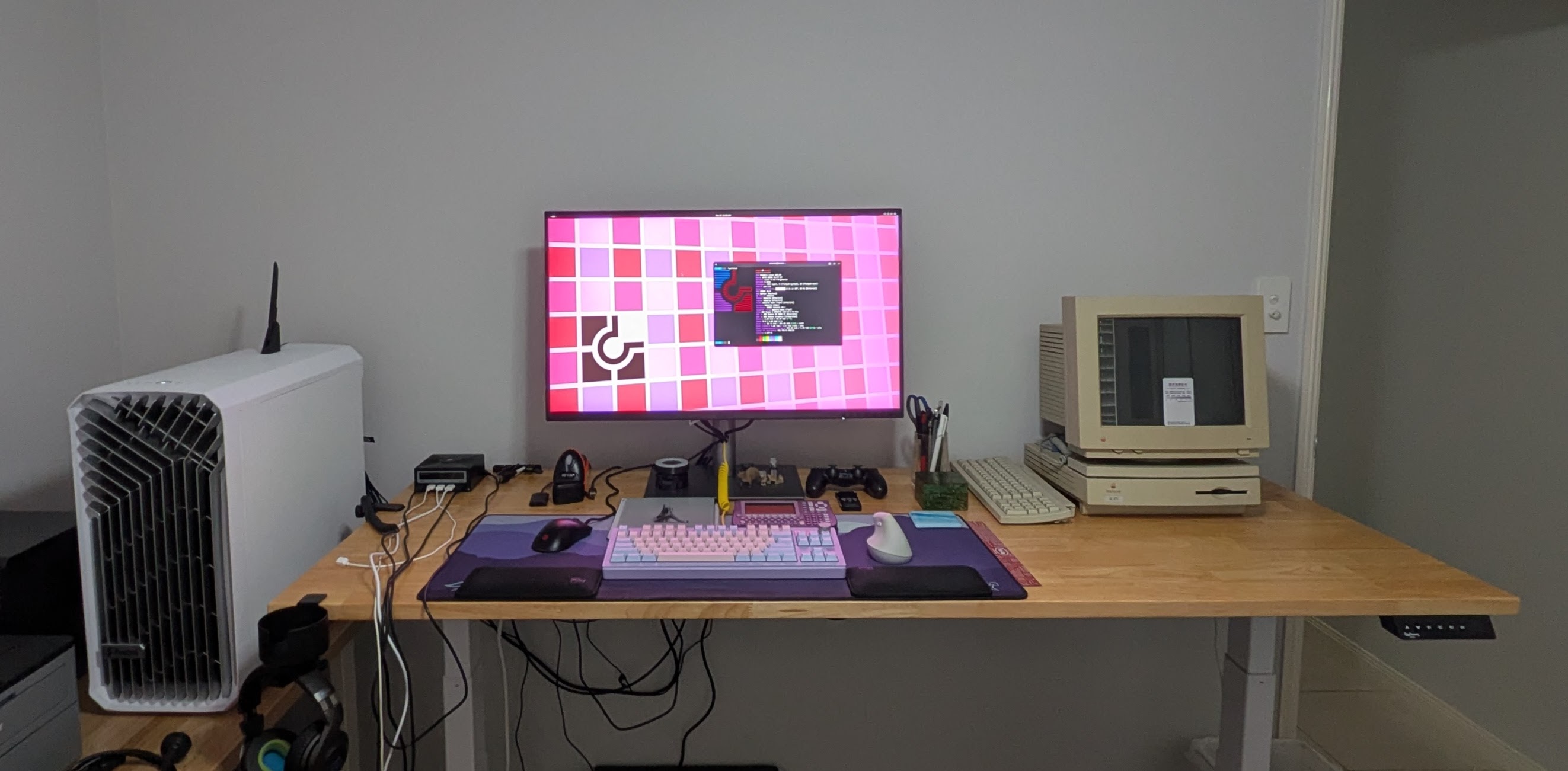
My computer is a desktop machine that I assembled myself in 2023, it has had a few upgrades since I last documented it—how great are upgradeable computers!
- CPU: AMD Ryzen 9 9950X3D 16-Core/32-Thread Processor
- RAM: 64 Gb DDR5 6000 MT/s
- Storage:
- Root disk: Crucial T700 1TB PCIe Gen5 NVMe M.2 SSD, ext4
- /home: 2x WD_BLACK 2TB SN850X PCIe Gen4 NVMe, ZFS mirror
- Extra storage: 3x Samsung 1Tb Evo 870 SSDs, ZFS RAIDZ-1
- GPU: AMD Radeon RX 9060 XT with 16Gb VRAM
- Display: ASUS PA32QCV 6016x3384 6K display at 2x scaling
- Web Cam: Razer Kiyo
- Microphone: Audio Technica ATR2100X
- Mouse: Logi MX Vertical mouse + BenQ ZOWIE FK2-C mouse
- Keyboard: WK870 mechanical keyboard with Gateron G Pro 2.0 brown switches