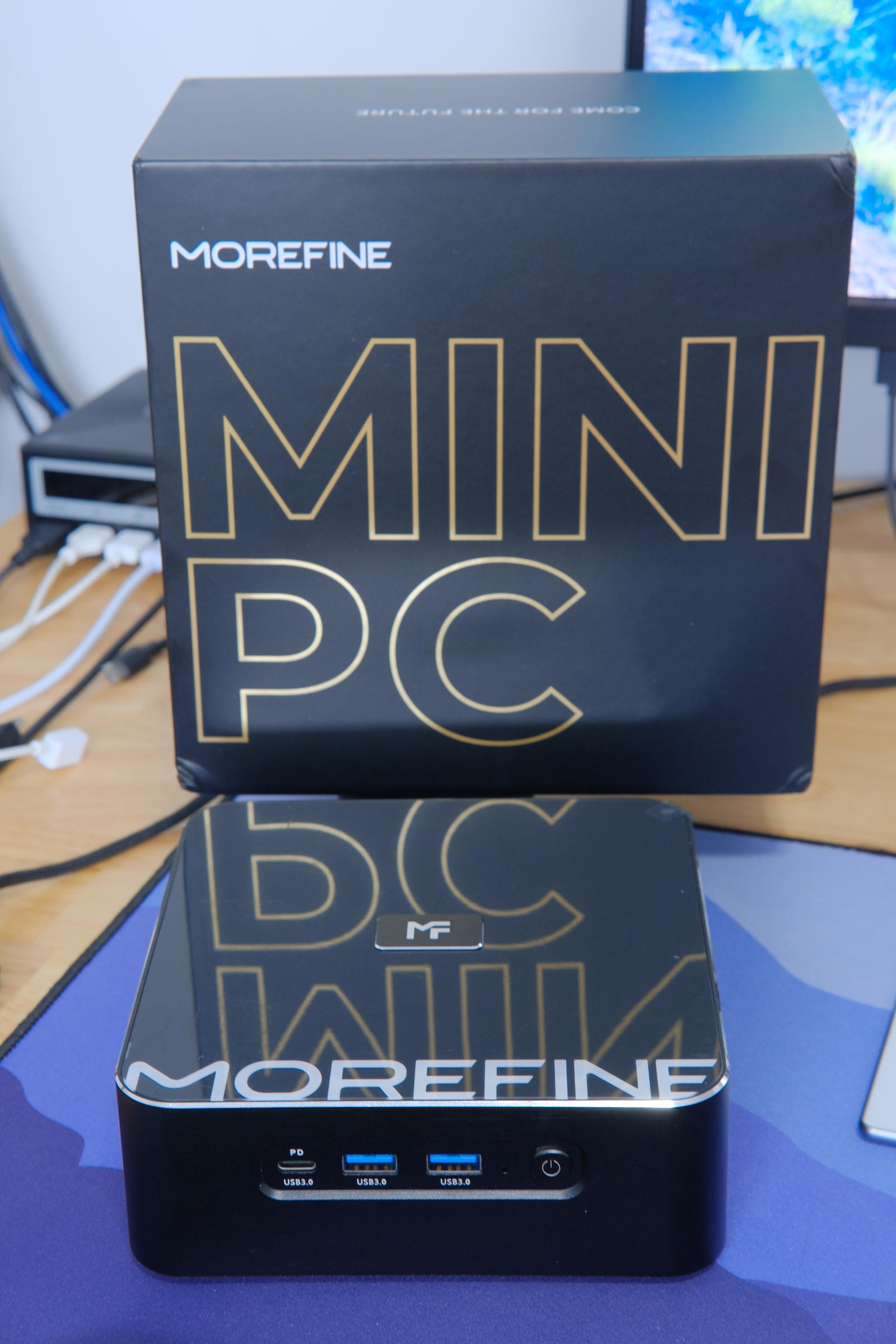
Ever the fan of an underdog, I recently acquired a new mini-PC with a
Loongson 3A6000 CPU. This CPU uses the LoongArch64 instruction set
architecture (ISA). loongarch64 is a 64-bit RISC ISA inspired by MIPS and
RISC-V introduced by Loongson Technology in 2021.
From Wikipedia:
A Loongson developer described it as “…a new RISC ISA, which is a bit like MIPS or RISC-V. LoongArch includes a reduced 32-bit version (LA32R), a standard 32-bit version (LA32S) and a 64-bit version (LA64)”.31 The stated rationale was to make Loongson and China not dependent on foreign technology or authorisation to develop their processor capability, whilst not infringing on any technology patents.32
LA64 has 32 64-bit general purpose registers ($r0–$r31). Like RISC-V $r0
is hard-wired to zero. There’s also 32 64-bit floating point registers
($f0–$f31). The 3A6000 supports two vector extensions (SIMD):
- LSX (Loongson SIMD eXtension) with 128-bit vectors. (
$v0–$v31) - LASX (Loongson Advanced SIMD eXtension) with 256-bit vectors. (
$x0–$x31)
Both have 32 registers of their respective size, although they overlap with other registers. kernel.org: Introduction to LoongArch:
for example, on a core implementing LSX and LASX, the lower 128 bits of
$x0is shared with$v0,and the lower 64 bits of$v0is shared with$f0;same with all other VRs.
LoongArch is interesting to me because:
- It’s a different architecture to the vast majority of systems in use today, which use x86_64 and ARM CPUs.
- Performance is better than most RISC-V CPUs currently available.
- It’s somewhat Linux first.
- It’s supported by Chimera Linux. As a Chimera package maintainer I thought it would be handy to have hardware to test on.
Regarding №3: Since neither Windows, nor macOS support the architecture that leaves Linux-based operating systems as a great option. Therefore Loongson has an interest in that working well. They have contributed to Linux, musl, and also did their own initial ports of Debian and Alpine Linux. This kind of makes it an architecture with Linux-first support.
Hardware
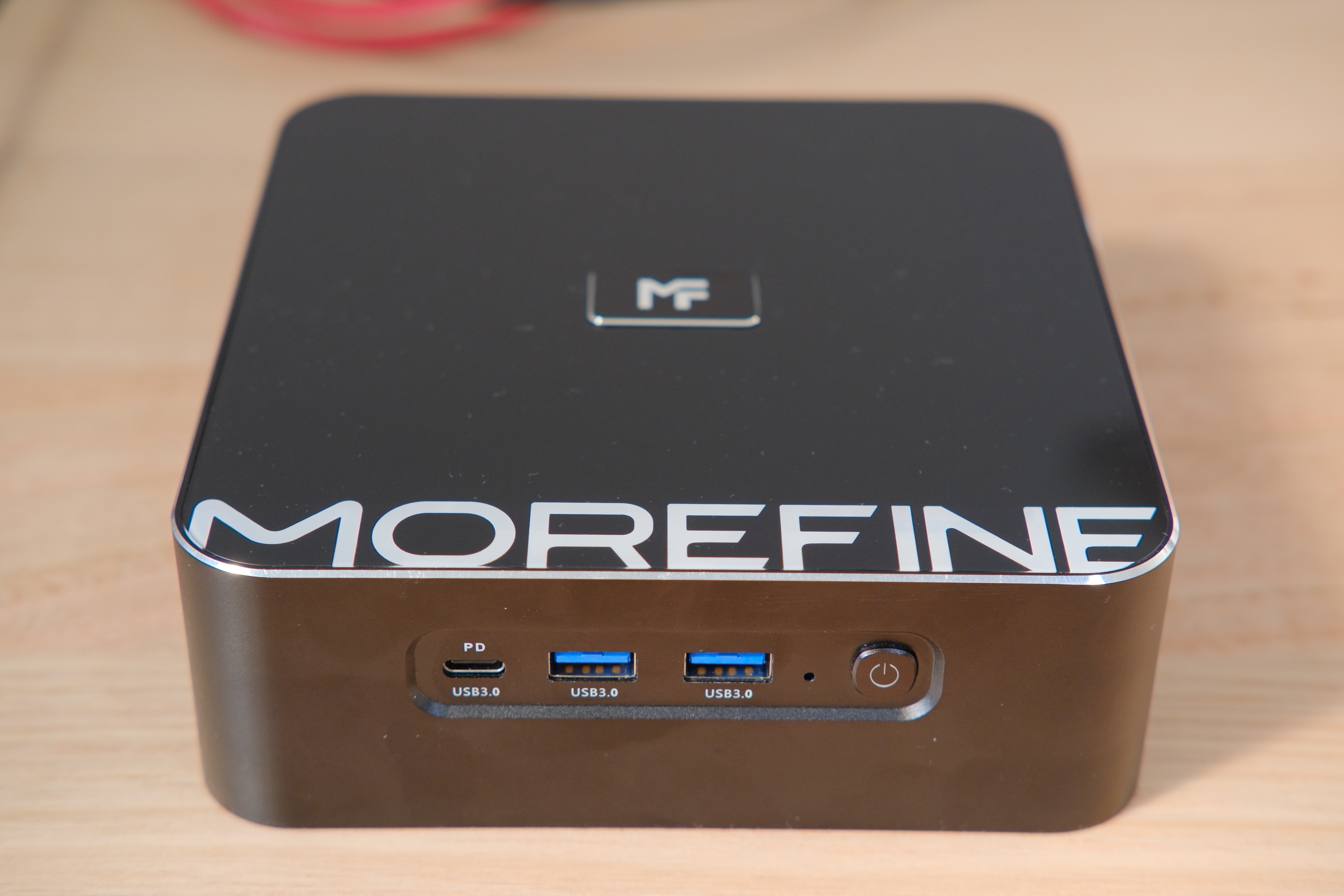
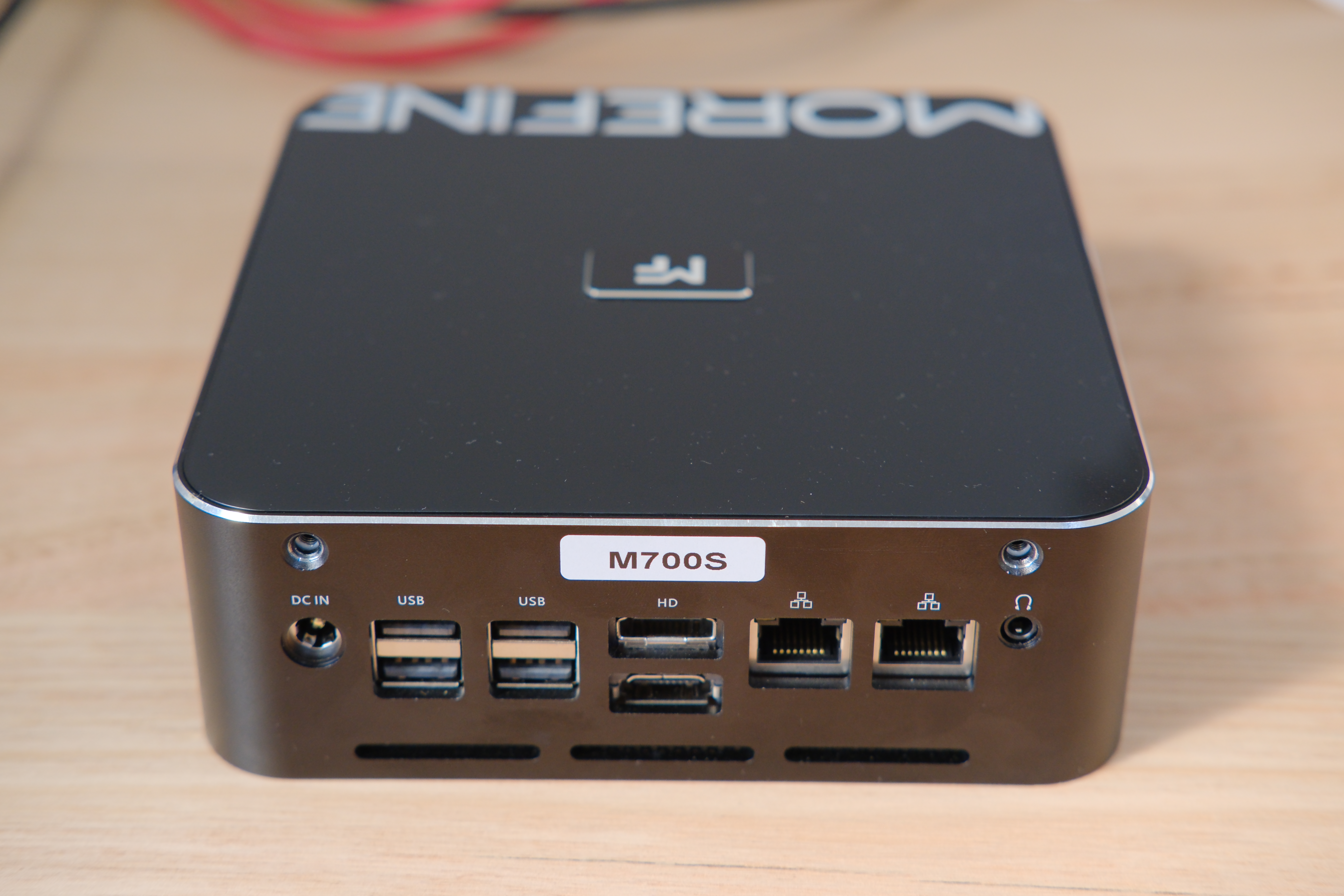
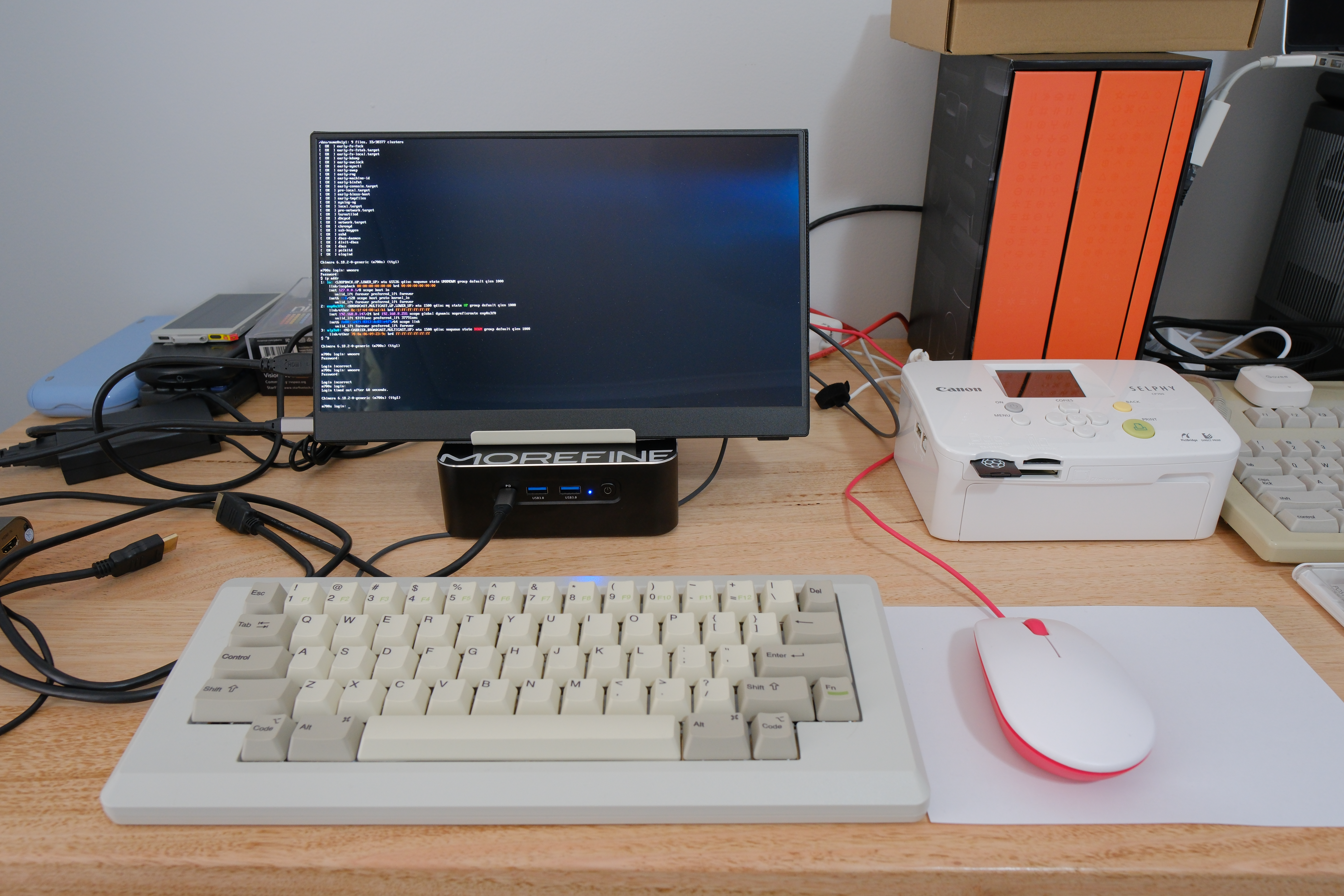
The specific hardware I bought is a MOREFINE M700S mini-PC from AliExpress (affiliate link). It’s about the size of the original Mac mini and constructed from aluminium: 15×14.5×5 cm.
Specifications
- CPU: Loongson-3A6000 4-core/8-thread 64-bit @ 2.5Ghz
- RAM: 16Gb DDR4 SO-DIMM, 1 of 2 slots populated
- GPU: Loongson LG100
- Chipset: 7A2000
- Wi-FI: RTL8821CE 802.11ac PCIe Wireless Network Adapter
It has a plethora of ports:
- Front:
- 1 × USB 3.0 Type-C with PD
- 2 × USB 3.0 Type-A
- Back:
- 4 × USB 2.0 Type-A
- 2 × HDMI, supporting up to 4K 30Hz each
- 2 × Gigabit Ethernet ports
- 1 × 3.5mm audio jack
What’s Inside
Opening the bottom of the case requires removing the four screws in the bottom, one under each of the rubber feet. In the bottom section is the M.2 slot and large blower fan.
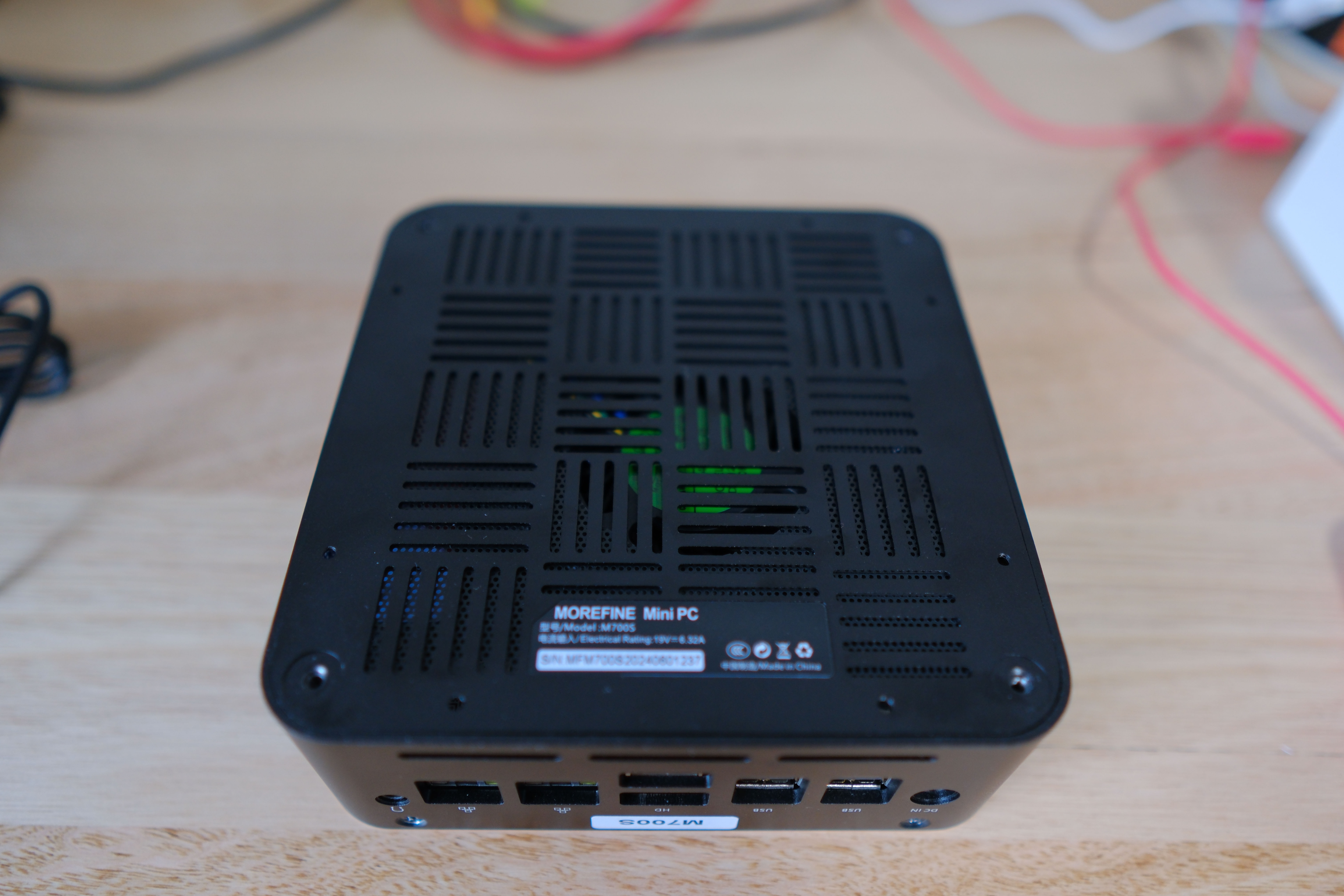
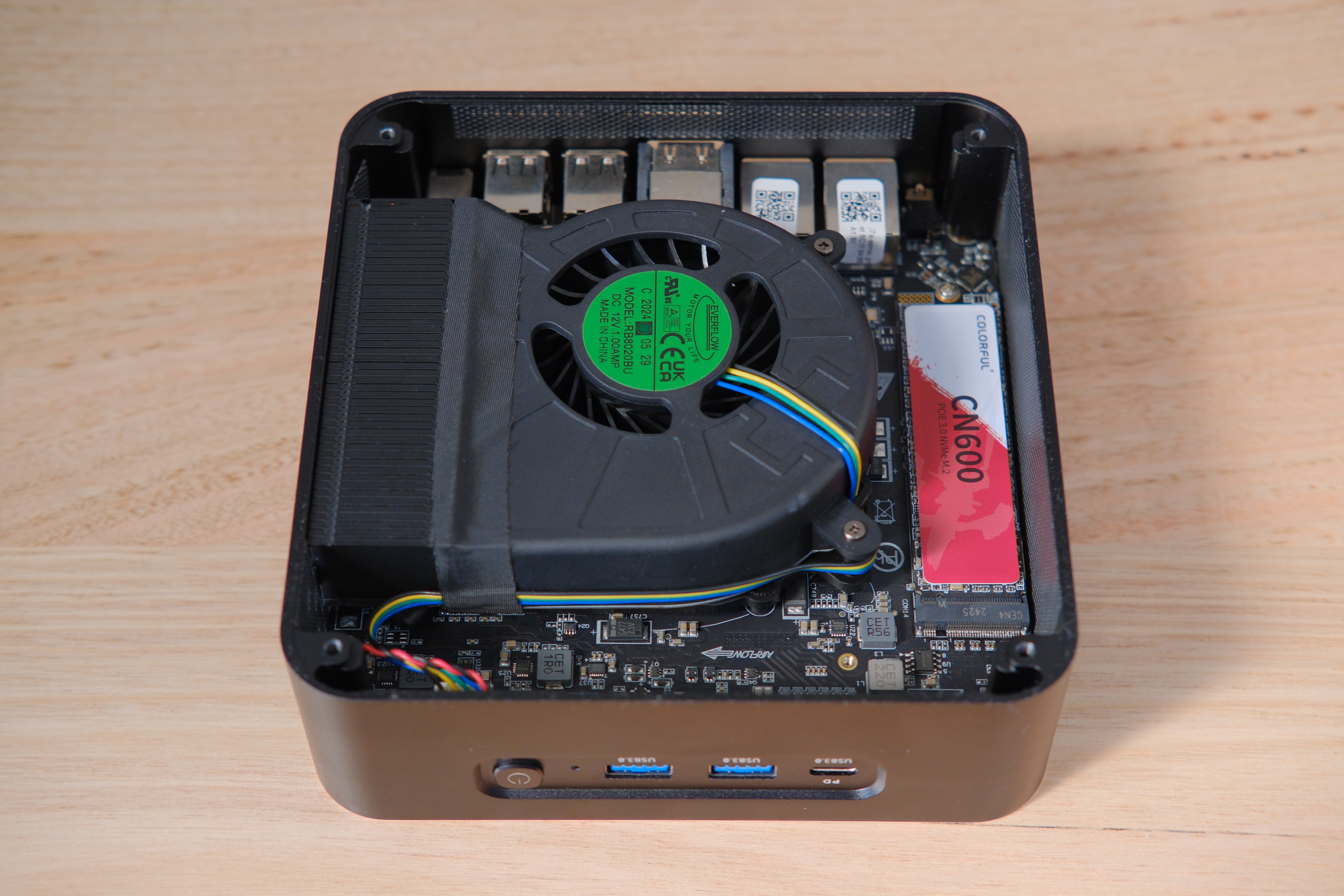
The blower fan runs constantly at a fairly high speed, making it much noisier than any other computer I own. I contacted MOREFINE about it, and they confirmed that it was expected:
Does not affect normal operations
There is currently no other way to adjust its noise; this is a normal state
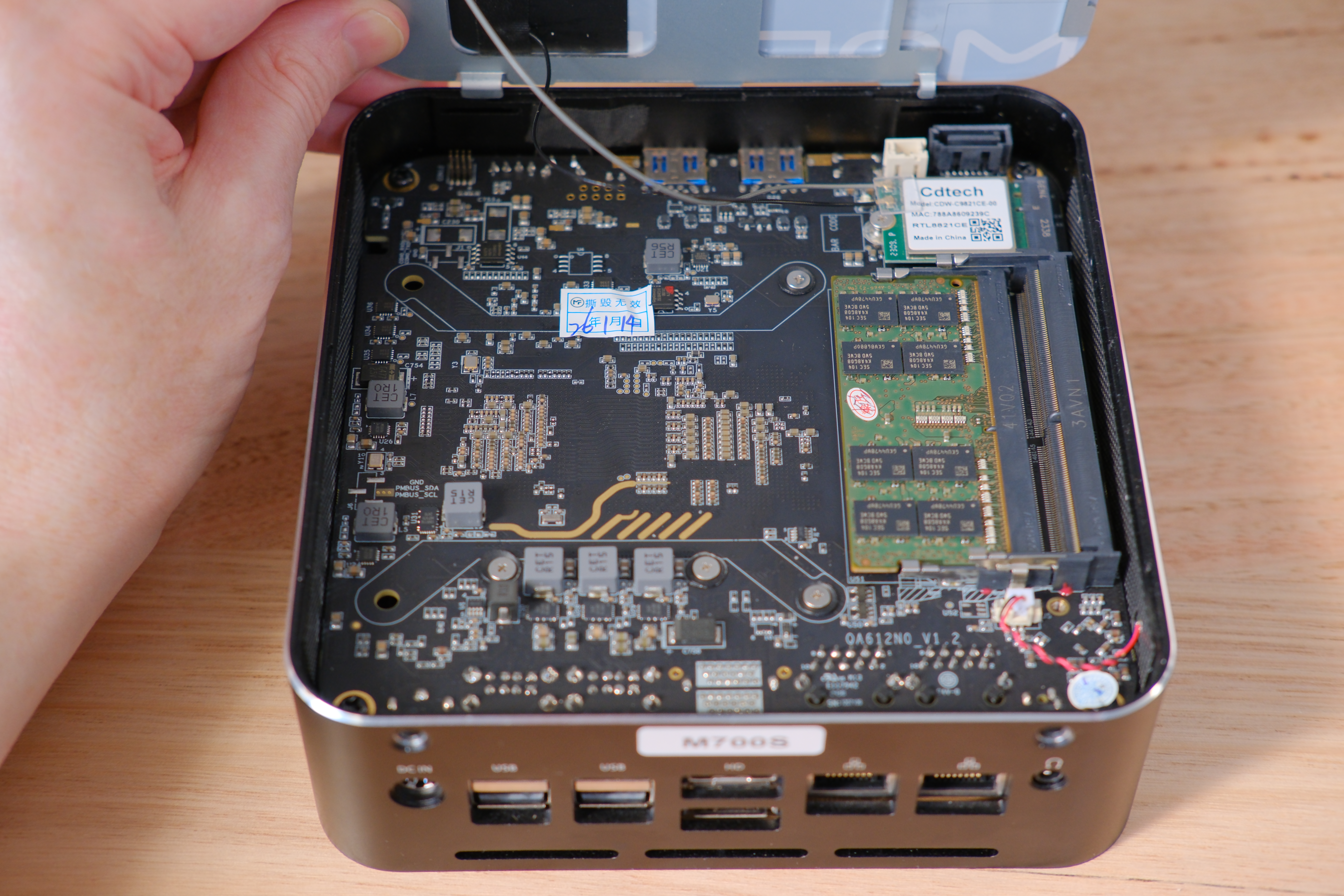
Opening the top of the case requires removing the two screws on the back panel above the ports. Then using something thin in one of the screw holes lever the top up a bit so you can get under it and flip it up. Be careful as it has Wi-Fi and Bluetooth antennas attached to it.
In the top you get access to the SO-DIMM RAM slots. There’s also space for a 3.5“ SATA SSD or HD. The M700S came with mounting hardware for this and a small SATA cable that plugs into the ports at the top right.
Installing Chimera Linux
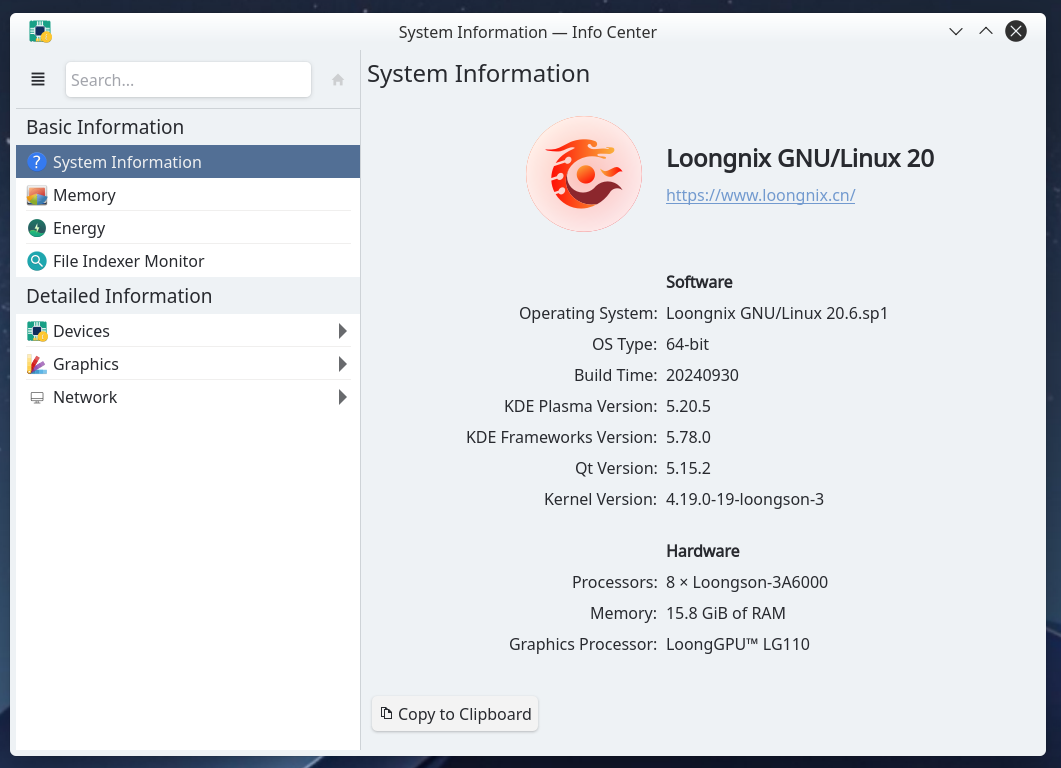
Out of the box it comes with Loongnix installed, an apt-based loongarch distribution with KDE 5 desktop. It indicates it was built in 2024, but uses quite dated components. The project seems defunct as the website and package servers were inaccessible, although perhaps it’s only accessible within China. No matter, as the goal was always to run Chimera Linux on it. The password to the Loongnix installation was not readily obvious to me, but a recent post on the DuckDB blog about the same machine had the necessary details.
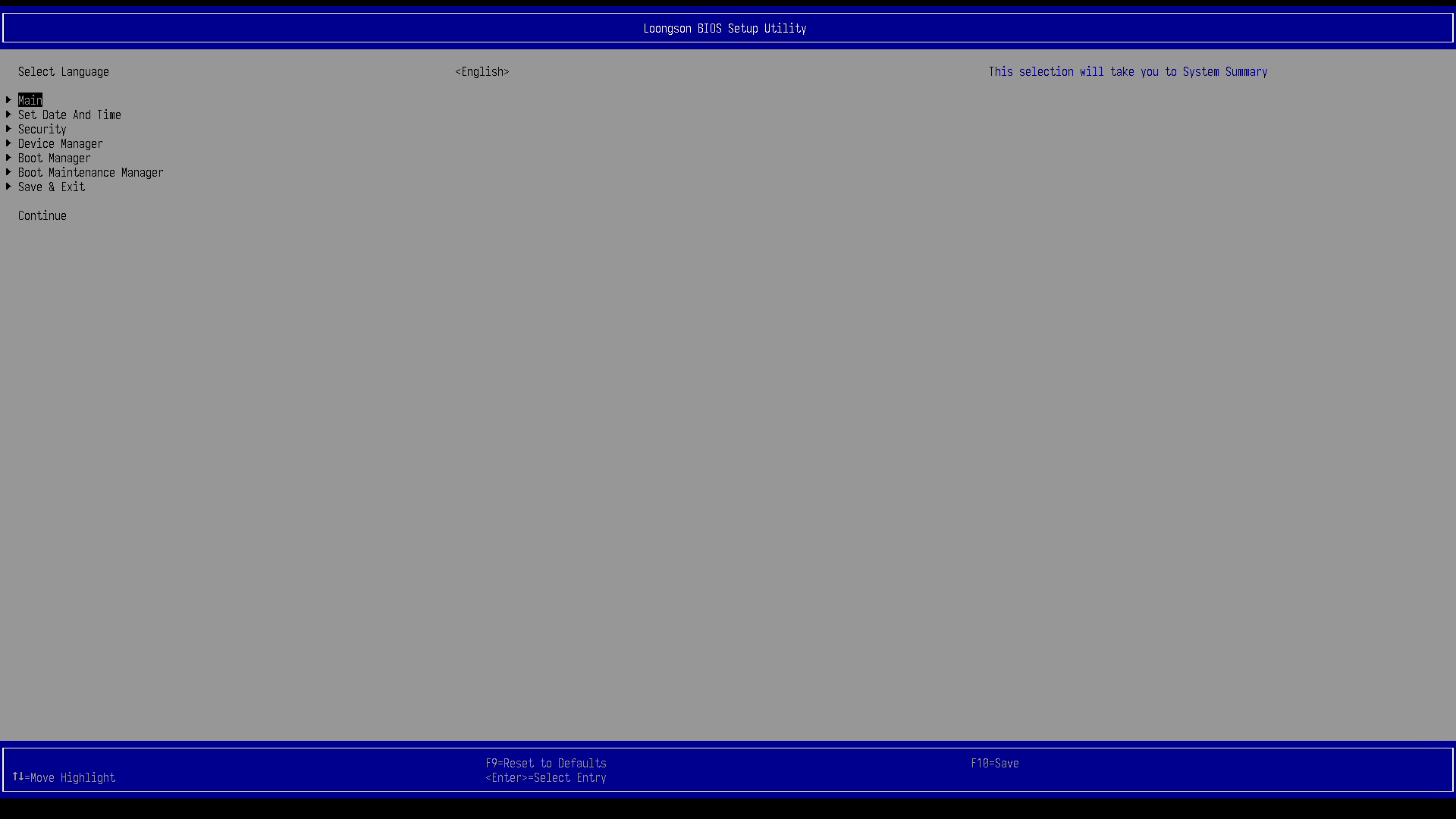
The BIOS (UEFI) is in Chinese by default. When the machine boots press F2 or down arrow to enter the UEFI.
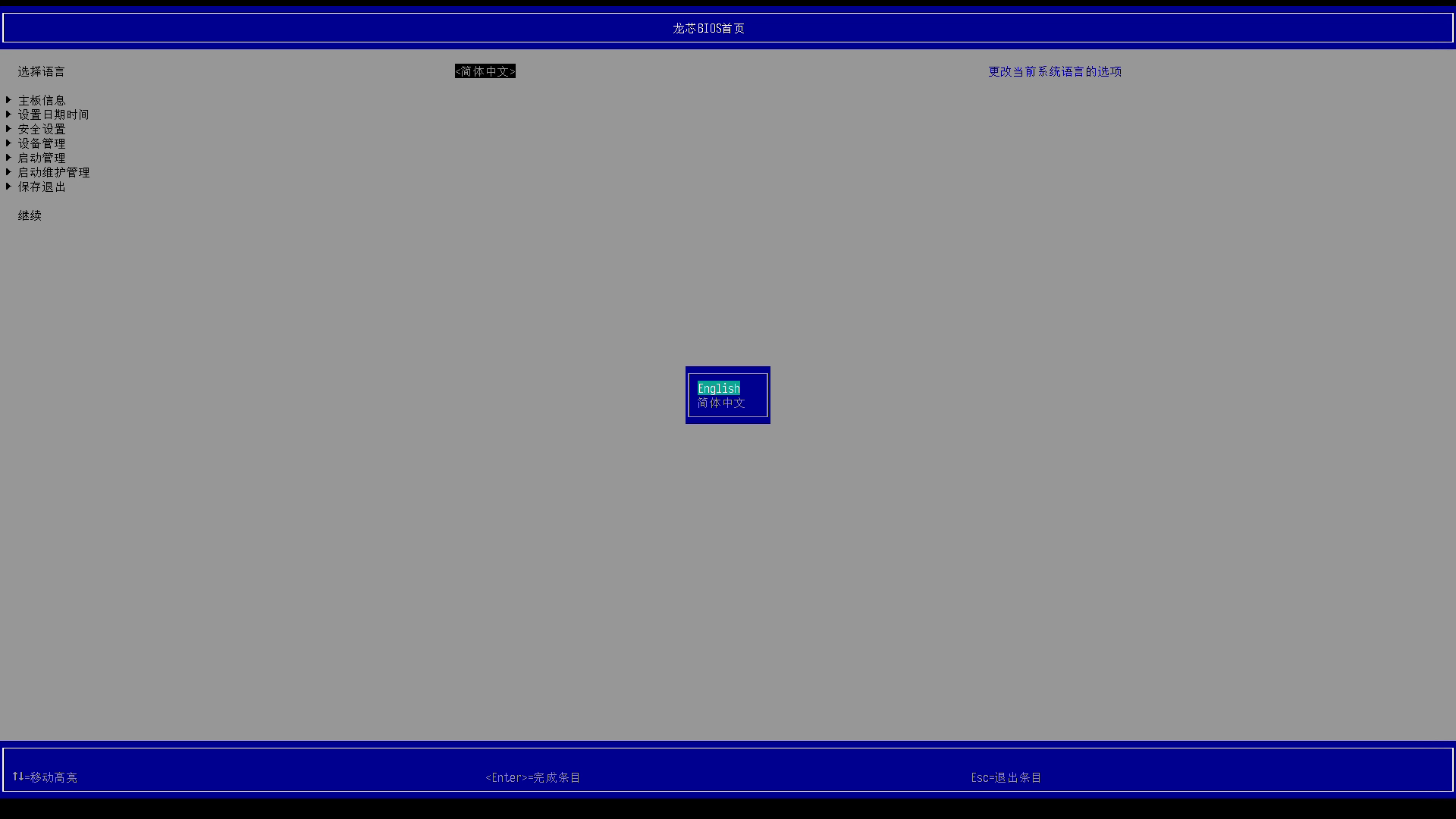
The initial option selected when the UEFI starts is the language selector. Press Enter, then select English. If you save and exit at this point the UEFI and boot messages will remain in English.
With that out of the way I booted off a Chimera ISO on a USB stick and followed
the instructions for a normal install. There’s nothing out
of the ordinary required for the loongarch64 install. The steps are identical
to an x86_64 install, right down to using systemd-boot as the bootloader.
This makes for a refreshing change from Snapdragon X machines, which still
don’t have complete or widespread Linux distribution support.
With the base installation complete I proceeded to install GNOME. This is where I ran into my first issue. I could log in with GDM and get to the desktop, even open a terminal or Firefox but within a few seconds I’d be kicked back to the GDM login screen. I also tried Wayfire, and an Xfce Wayland session with Labwc, but all of them yielded EGL-related errors and failed to start. For example this is the Wayfire output:
II 24-01-26 11:52:43.795 - [backend/drm/backend.c:202] Initializing DRM backend for /dev/dri/card0 (loongson)
II 24-01-26 11:52:43.795 - [backend/drm/drm.c:255] Found 2 DRM CRTCs
II 24-01-26 11:52:43.796 - [backend/drm/drm.c:213] Found 4 DRM planes
II 24-01-26 11:52:43.796 - [render/egl.c:206] Supported EGL client extensions: EGL_EXT_client_extensions EGL_EXT_device_base EGL_EXT_device_enumeration EGL_EXT_device_query EGL_EXT_platform_base EGL_KHR_client_get_all_proc_addresses EGL_KHR_debug EGL_EXT_platform_device EGL_EXT_explicit_device EGL_EXT_platform_wayland EGL_KHR_platform_wayland EGL_EXT_platform_x11 EGL_KHR_platform_x11 EGL_EXT_platform_xcb EGL_MESA_platform_gbm EGL_KHR_platform_gbm EGL_MESA_platform_surfaceless
EE 24-01-26 11:52:43.802 - [EGL] command: eglInitialize, error: EGL_NOT_INITIALIZED (0x3001), message: "DRI2: failed to create screen"
EE 24-01-26 11:52:43.807 - [EGL] command: eglInitialize, error: EGL_NOT_INITIALIZED (0x3001), message: "DRI2: failed to create screen"
EE 24-01-26 11:52:43.809 - [EGL] command: eglInitialize, error: EGL_NOT_INITIALIZED (0x3001), message: "DRI2: failed to load driver"
EE 24-01-26 11:52:43.809 - [EGL] command: eglInitialize, error: EGL_NOT_INITIALIZED (0x3001), message: "eglInitialize"
EE 24-01-26 11:52:43.809 - [render/egl.c:269] Failed to initialize EGL
EE 24-01-26 11:52:43.809 - [render/egl.c:572] Failed to initialize EGL context
EE 24-01-26 11:52:43.809 - [render/gles2/renderer.c:804] Could not initialize EGL
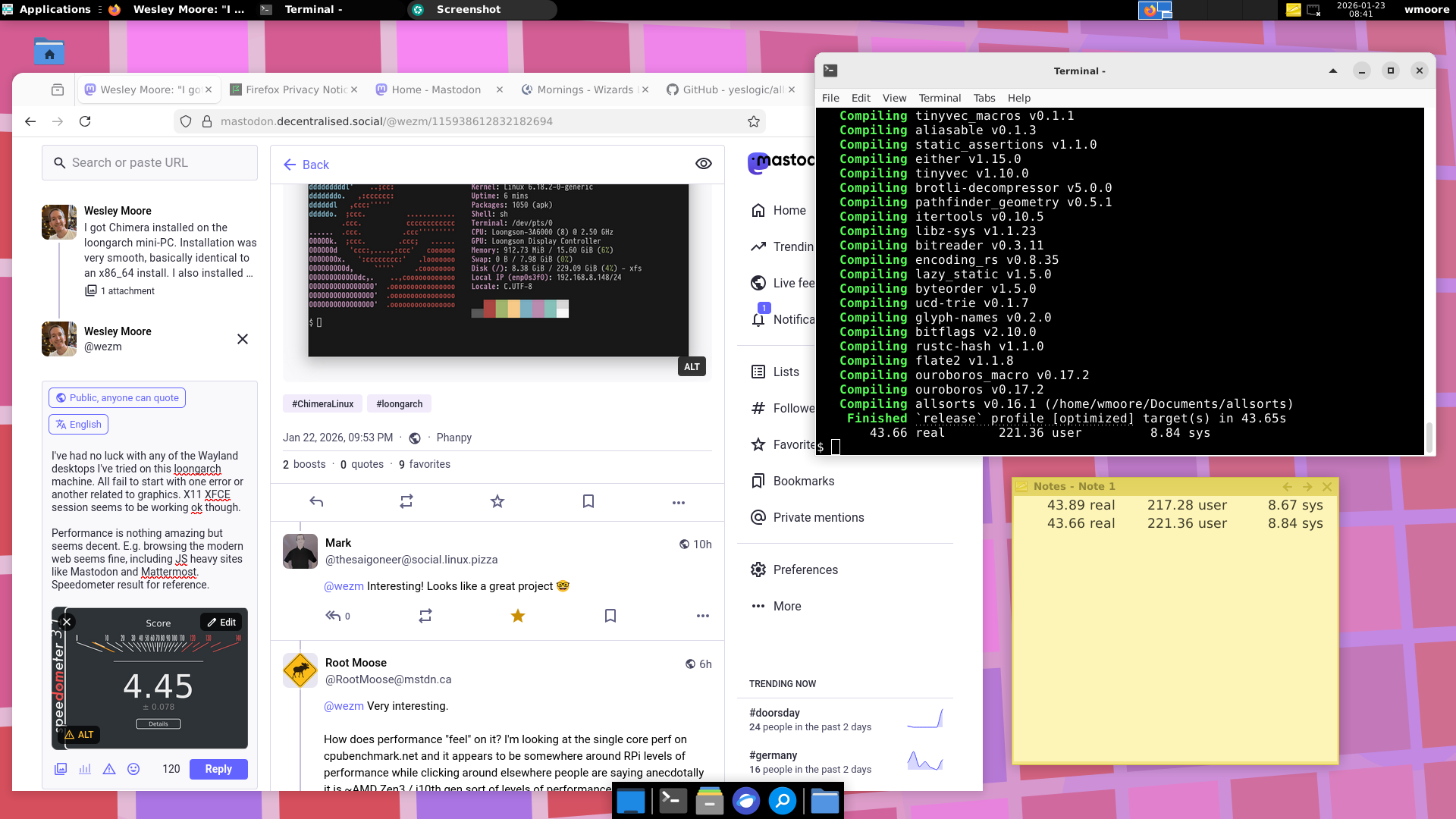
Undeterred, I installed X.Org and started an Xfce X11 session, and all was well.
Performance & Efficiency
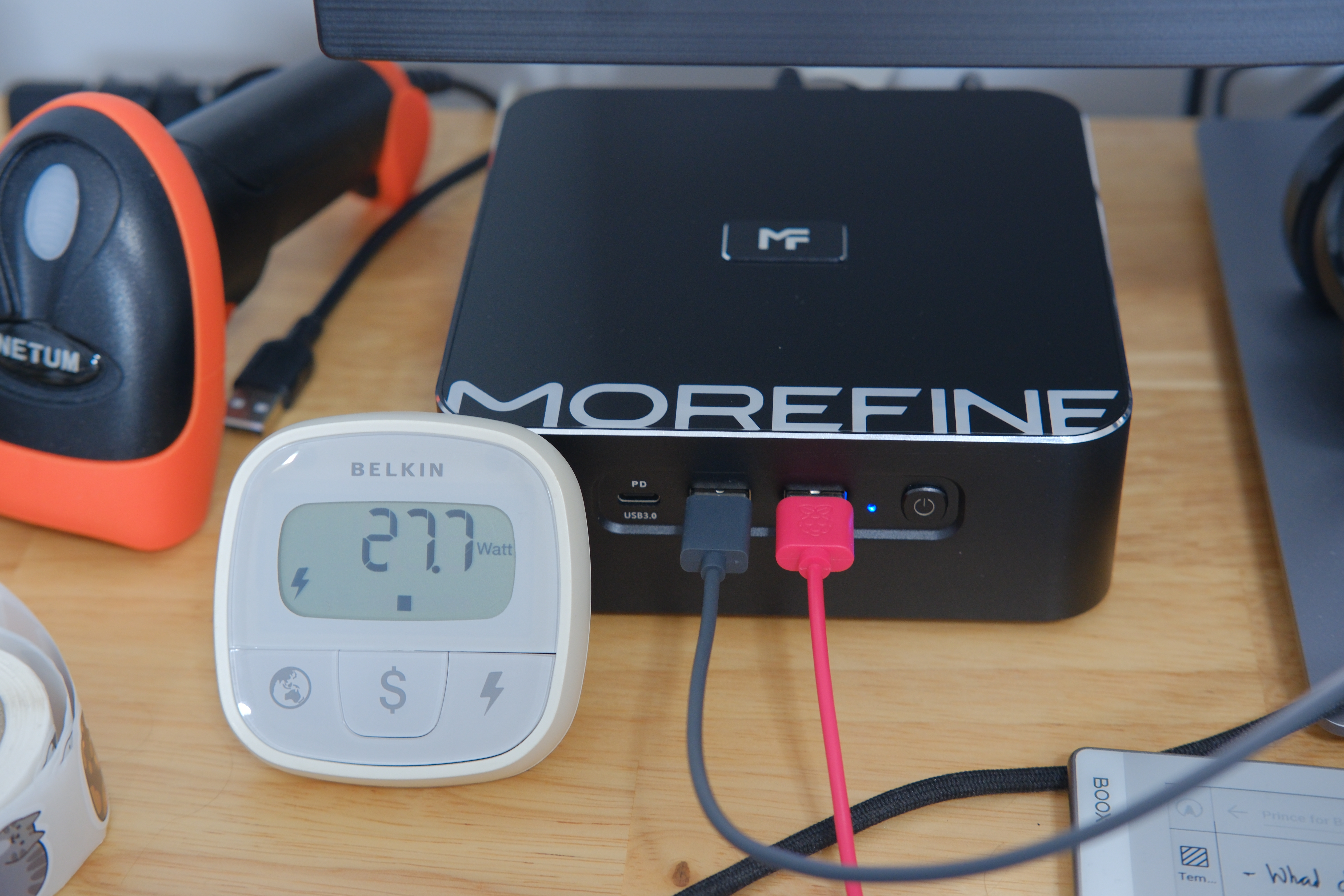
The Loongson-3A6000 is not particularly fast or efficient. At idle it consumes about 27W and under load it goes up to 65W.
As a crude benchmark it scores 4.45 on the Speedometer 3.1 browser benchmark in Firefox.
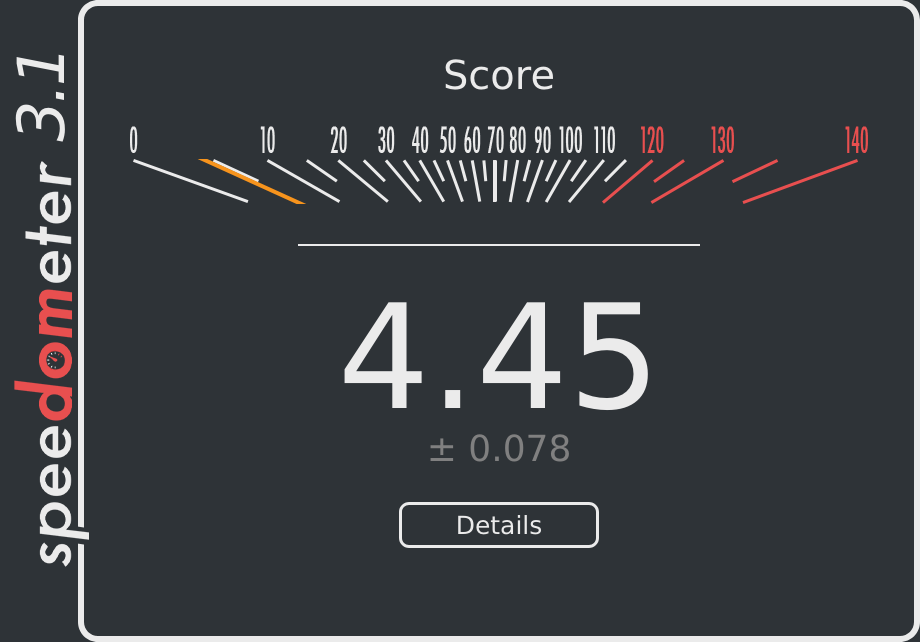
For comparison the Intel N100 based mini-PC connected to my TV consumes ~7W when idle and scores 12.7 on Speedometer 3.1. My AMD Ryzen 9950X3D scores 36.7 (and chews through way more power).
Note: All Speedometer tests were done in modern Firefox, with no extensions. It does appear that as of last year Firefox has JIT support for loongarch64.
Another test I performed was building the allsorts Rust crate (v0.16.1). On
the LoongArch machine it takes almost 44 seconds. On my Ryzen 9950X3D with
--jobs 4 (to make it slightly more comparable) it completes the build in 22
seconds.
So, overall it’s not a particularly efficient machine, and while the performance is nothing special it does seem readily usable. Browsing JS heavy web applications like Mattermost and Mastodon runs fine. Subjectively it feels faster than all the Raspberry Pi systems I’ve used (up to a Pi 400).
Compatibility
One of the reasons I got the machine was for testing software and attempting to address incompatibilities.
A rudimentary search (rg -g template.py -B 1 broken | rg -A 1 loongarch64) through
cports, the Chimera Linux ports collection, revealed this list of packages
marked broken on loongarch64:
user/cargo-watch- “old nix crate, can’t update”
user/gocryptfs- “vendor/github.com/aperturerobotics/jacobsa-crypto/cmac/hash.go:97:3: undefined: xorBlock”
user/comrak- “linux-raw-sys does not support, can’t bump (semver)”
user/git-branchless- “outdated nix crate, can’t update”
user/halloy- “ring 0.16.20 fails to build”
user/kanata- “outdated nix crate, can’t update”
user/lazygit- “vendor/github.com/creack/pty/pty_linux.go:39:8: undefined: _C_uint”
user/rclone- “saferith@v0.33.0/arith_decl.go:…: missing function body”
user/spotify-player- “rustix/libc interaction garbage strikes again”
user/systeroid- “outdated nix crate, can’t update”
user/swww- “cannot find value
MADV_SOFT_OFFLINEin modulec”
- “cannot find value
user/tectonic- “outdated nix crate, can’t update”
user/tiny- “outdated nix crate, can’t update”
user/typstyle- “sigbus in tests”
main/containerd- “cgo runtime stuff”
main/docker-cli- “PIC linking issues”
main/grub- “causes a machine exception at runtime”
main/helvum- “old nix crate, can’t update”
main/openblas- “riscv64/loongarch64 dynamic_arch is currently broken”
As you can see the list is pretty small. Most of the software packaged in cports is compatible.
Many of the broken ports are Rust projects using old versions of the nix or
rustix crates. So far I have looked into systeroid, spotify-player, halloy,
and tiny. For the first two the problematic dependency is deep in the tree via
protobuf-parse:
rustix v0.38.44
└── which v4.4.2
    └── protobuf-parse v3.7.2
        └── protobuf-codegen v3.7.2
            [build-dependencies]
            └── librespot-protocol v0.8.0
                ├── librespot-connect v0.8.0
                │   └── spotify_player v0.21.3 (/home/wmoore/src/github.com/aome510/spotify-player/spotify_player)
                ├── librespot-core v0.8.0
                │   ├── librespot-audio v0.8.0
                │   │   └── librespot-playback v0.8.0
                │   │       ├── librespot-connect v0.8.0 (*)
                │   │       └── spotify_player v0.21.3 (/home/wmoore/src/github.com/aome510/spotify-player/spotify_player)
It seems that the pure Rust 3.x series of protobuf-parse is not maintained.
The new 4.x series managed by Google has a totally
different API with C dependencies:
V4 of this crate is officially supported by the Protobuf team at Google. Prior major versions were developed by as a community project by stepancheg who generously donated the crate name to Google.
V4 is a completely new implementation with a different API, as well as a fundamentally different approach than prior versions of this crate. It focuses on delivering a high-quality Rust API which is backed by either a pure C implementation (upb) or the Protobuf C++ implementation. This choice was made for performance, feature parity, development velocity, and security reasons. More discussion about the rationale and design philosophy can be found at https://protobuf.dev/reference/rust/.
It is not planned for the V3 pure Rust lineage to be actively developed going forward. While it is not expected to receive significant further development, as a stable and high quality pure Rust implementation, many open source projects may reasonably continue to stay on the V3 API.
So, spotify-player and systeroid are difficult to fix. The ideal fix would
be a new release of the 3.x series of the protobuf crates. They would bump
their rustix dependency by way of updating which. However, since that
lineage is unmaintained it’s unlikely. Given I use neither tool personally I
gave up on them, and moved on to tiny.
tiny is a command line IRC client that I do use. It turned out to be easier
to fix: use a newer version of the nix crate. I have made that change and
opened a PR upstream, which has been merged.
Finally, there was a new release of halloy, a GUI IRC client. The new version
uses an updated version of ring, which fixed the build issues. I’ve opened a
PR to bump the package to that version. Over time I plan to look
into some of the other broken projects as well.
Conclusion
So there we have it. A small foray into modern computing on a new and interesting RISC architecture. Back in the day there were all sorts of ISAs: alpha, mips, arm, x86, m68k, powerpc, sparc to name a few. Most of these have died out or are expensive to acquire. That’s why it’s interesting to me to see a new affordable one spring up in recent times, and get adopted in the Linux ecosystem relatively quickly. Happy computing.