Consolas on Mac Update
Update 4 Aug 2010: See revised post: How to Install Consolas on Mac OS X
Today I followed my own directions on installing Consolas on my Mac Pro. The original directions were put together when installing it on my Mac Book. The downloaded disk image had a different volume name, as did the meta package. So the the command I used to launch the font installer was:
open "/Volumes/Open XML File Format Converter for Mac 1.0/Open XML File Format Converter for Mac 1.0.mpkg/Contents/Packages/OpenXML_all_fonts.pkg"
After the installer ran I went about making it the default font in Terminal. However afert doing so and setting it the same as it was on my Mac Book (13pt, antialiasing on) it looked terrible on the Mac Pro. Compare the two images below. I was after the latter.
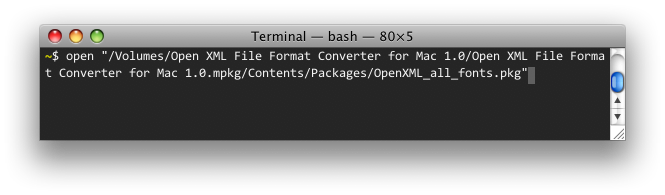
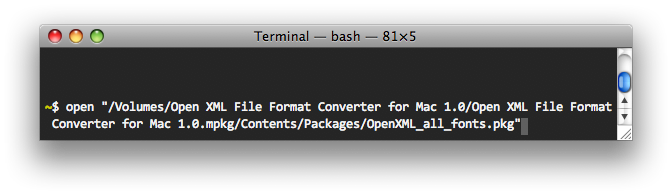
After a little bit of confusion I decided to check the font smoothing style in the Appearance preference pane (in System Preferences). Turns out it was set to Automatic (best for main display) on the Mac Pro and Medium (best for Flat Panel) on the Mac Book. Changing to Medium and relaunching Terminal had it looking identical on both machines.
 Stay in touch!
Follow me on Twitter or Mastodon, subscribe to the feed, or send me an email.